In this guide
A laundry notification can save a forgotten load. A refrigerator alert can draw attention to an open door. Those are useful outcomes, but they do not tell you how well a machine washes, cools, cooks or fits in your home.
Compare each purchase in two passes: first as an appliance, then as a connected device. This keeps an attractive screen or app from distracting you from a cramped drum, awkward shelves or inconvenient maintenance.
Choose the physical appliance first
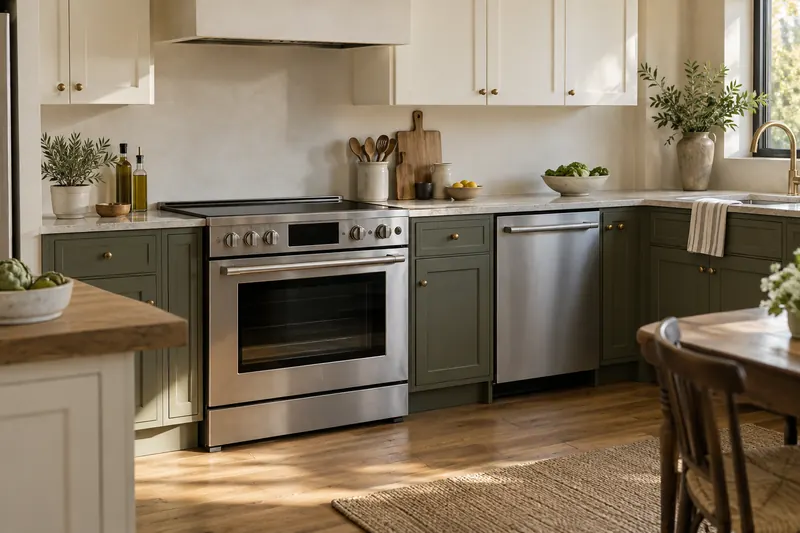
Measure the installation opening and delivery route, then check the specified door swing, ventilation and service clearance. For laundry, confirm the capacity and loading height suit your routine. For refrigeration, try the drawers and shelves. For cooking, handle the controls and check the usable oven space.
Compare the practical work the appliance must do: cleaning, drying, temperature control or cooking results. Ask about installation requirements and local service. Connectivity cannot compensate for a machine that does not fit or whose everyday operation is frustrating.
Use a simple rule: would you still shortlist this appliance if its app disappeared tomorrow? If the answer is no, identify the specific connected feature that justifies the tradeoff. A novelty you might use once is a weak reason to accept a lasting compromise.
Pay for connected features with a clear job
Write down the situation, the feature and the action it lets you take. “The washer is in the basement; a completion alert reminds me to move the load” is a useful requirement. “It has Wi-Fi” is not yet a benefit.
- Laundry: consider completion alerts, cycle-status checks and selected remote controls.
- Refrigeration: look for the particular door or temperature alert you need, and how it is delivered.
- Dishwashing: compare cycle progress, maintenance reminders and any remote-start prerequisites.
- Cooking: distinguish monitoring and notifications from functions that remotely start or change heating.
These are features to verify, not promises about every connected model. Ask for a demonstration using the exact appliance number. Then consider how often you would use the feature and whether a normal timer or local alert already solves the problem.
Understand what remote start really requires
Remote start often begins with preparation at the appliance. Whirlpool’s all-in-one washer/dryer instructions require Remote Enable before the app can start a cycle. GE likewise documents control-panel preparation for UltraFast Combo remote start. Check the manual for your model and whether opening a door or changing controls cancels permission.
This affects the value of the feature. If you load the washer before leaving, enabling a later start might fit your routine. If you expect to start an unprepared appliance from anywhere, the real process may disappoint.
Ask the seller to show both enabling and canceling remote operation. Everyone using the appliance should understand the local status indicator. Follow its operating instructions; a remote command should not become a workaround for the manufacturer’s safeguards or required supervision.
Check compatibility at the model and command level
Record the full model number, country, required app, supported phone software and Wi-Fi requirements. Home Connect’s connection guidance says internet access is needed for connection and that supported Wi-Fi bands vary by appliance. A familiar brand logo does not establish every connection detail.
Then verify the commands you want in your household platform. Whirlpool’s Google Home guidance lists selected models and different controls by appliance type. Seeing an appliance in an app does not necessarily mean every cycle, setting or alert is available through voice or automations.
Do not buy an entire matching suite solely for one app. Matching interfaces can simplify use, but compare each appliance on its own merits. Use our ecosystem guide to decide which cross-device functions matter before paying for a connected feature you cannot use.
Keep everyday controls and a service plan
Ask what remains available when Wi-Fi, the internet or the vendor’s service is unavailable. Test the ordinary controls in a showroom if possible. You should know whether your preferred cycle needs an app download, whether that cycle remains stored, and how to cancel a running program locally.
Software upkeep is a separate ownership task. Bosch’s Home Connect FAQ distinguishes app updates from appliance firmware updates, with available improvements varying by age and category. Ask for the published support commitment for the exact model rather than interpreting “updates available” as an indefinite promise.
Also ask who services the appliance in your area, what the warranty covers, how to obtain common parts and how ownership transfers. Keep the model and serial number, receipt, installer details and manual somewhere accessible without the app. An account problem should not make the physical appliance hard to identify for service.
A practical checklist before ordering
- Confirm fit and installation. Include openings, utilities, delivery, removal and service access in the plan.
- Name two useful connected features. Check them against the exact model’s documentation.
- Demonstrate remote permissions. Find out what must happen at the control panel first.
- Check the fallback. Record what you can operate without the app or internet.
- Review data and access. Choose household permissions, optional sharing and account security settings.
- Price the whole ownership plan. Include installation, consumables, optional paid features and expected maintenance.
At setup, enable only alerts that prompt a useful action. Too many routine messages can make the important ones easier to miss. Revisit the settings after a week of normal use and keep the reminders that actually help your household.
Sources and research scope
We checked the linked official documentation on September 13, 2026. This is a documentation-based guide; we did not conduct comparative hands-on testing or validate energy or financial savings. Read our editorial methodology.
Frequently asked questions
Will a smart appliance work without internet?
Check the exact model’s manual. Local controls and connected features can have different requirements. Confirm the everyday cycles you need remain available, and identify any app-only options before buying.
Should every smart appliance use the same brand?
One app may be convenient, but each appliance still needs to suit its job, installation space and service needs. Choose a matching suite only when those individual decisions work as well as the connected features.
Can a smart plug turn an ordinary appliance into a smart appliance?
It does not add the appliance’s cycle controls, sensors or supported remote-start behavior. Do not treat power switching as equivalent to a manufacturer-supported integration. Bosch advises against smart plugs or controllable adapters for its Home Connect retrofit discussion.