In this guide
For a color-changing bedside lamp, start with a smart bulb. For a group of ceiling lights everyone operates at the wall, investigate a compatible smart switch or dimmer. For simple on/off control of an existing plug-in lamp, consider a smart plug.
Those approaches can coexist. A useful lighting plan can combine ordinary dimmable ceiling lights with smart accent lamps, provided each has an appropriate control and a clear job.
Choose the part of the lighting you want to change
| Approach | What it changes | Best starting use |
|---|---|---|
| Smart bulb or integrated smart light | The light itself receives commands; supported models can change brightness, white tone or color. | Individual lamps, accent lighting and rooms where different lights need different settings. |
| Smart wall switch | Switches power to a compatible lighting load. | A group of existing lights that should turn on and off together. |
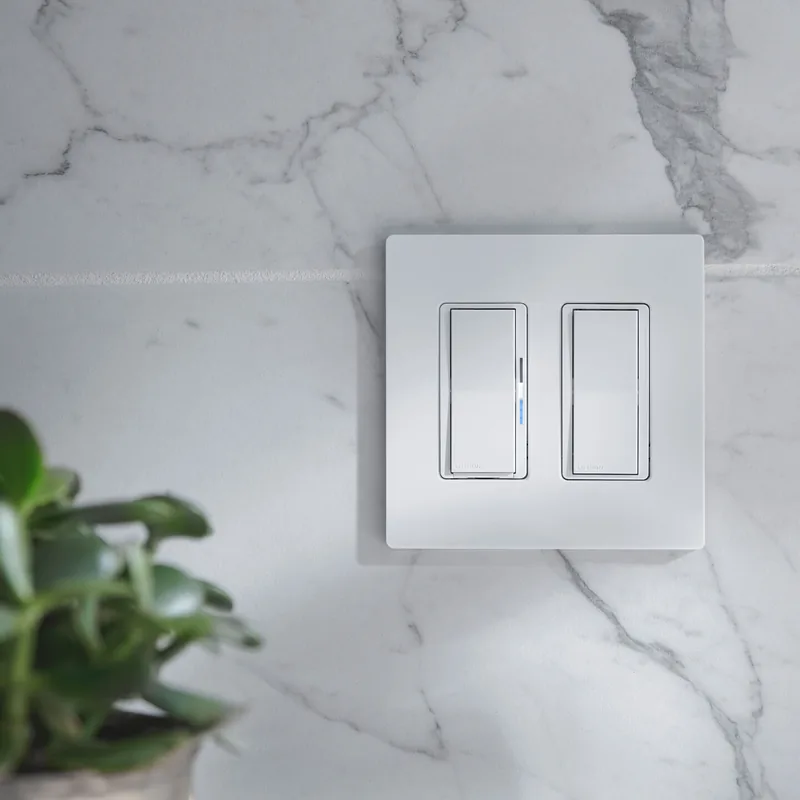
| Smart wall dimmer | Controls the brightness of a specifically compatible dimmable load. | Ceiling lighting where familiar wall operation matters. |
| Smart plug | Switches a compatible plug-in lamp on and off; ordinary switching plugs do not add dimming. | An existing lamp whose physical switch can remain on. |
For example, Philips Hue’s smart plug brings existing lights into its system, with Bluetooth control and additional features through a Hue Bridge. It does not turn an ordinary bulb into a color-changing bulb.
Compare brightness and the available white-light range before deciding you need full color. For reading or food preparation, usable light on the task matters more than the length of the effects list.
Keep wall controls useful for everyone
A smart bulb needs power to receive commands. If someone switches off its electrical supply at the wall, an app cannot restore that supply. Plan a physical control that communicates with the lighting system without defeating it.
As one documented example, Hue’s compatible-switch guide describes Lutron Aurora holding a compatible toggle switch in the on position while providing lighting control. Other products use wireless buttons or supported switch modules; check the specific fixture and system.
Choose a location that makes sense when entering the room. Let a visitor try it without an explanation. If turning on a bathroom light requires a phone, account or remembered voice phrase, reconsider the everyday control arrangement.
Check wiring and dimming by exact model
Before ordering an in-wall device, have a qualified installer confirm the circuit arrangement, neutral availability, box space, load type and the controls required at other locations. This guide covers product selection; use the manufacturer’s installation instructions for the actual electrical work.
Neutral requirements vary. Lutron’s Diva Smart LED+ DVRF-6L, for example, does not require a neutral and is specified for supported dimmable LEDs and incandescent/halogen loads. That specification does not apply automatically to every Lutron switch or dimmer.
Dimmable bulbs still need compatible controls. Check the exact bulb or fixture model using the Lutron LED compatibility tool when selecting a Lutron dimmer. For a fixture with an LED driver or transformer, confirm that driver and dimming method as well. “LED compatible” is not enough information by itself.
Distinguish electrical dimming from smart-bulb commands. Hue bulbs contain their own dimming electronics, while conventional LEDs require a compatible dimmer. Hue explains the difference. Do not assume that combining a conventional dimmer and a smart bulb is an approved setup; check both manuals.
For switches controlling the same light from several positions, confirm the required companion controls. Use the exact model’s manufacturer instructions when specifying the whole arrangement.
Decide how the lights connect
Choose the household platform before buying a room full of devices. Write down the connection path for each product: a direct Wi-Fi connection, a required manufacturer bridge, or a supported Thread setup.
Then check the actions available through that connection. Basic on/off control, dimming, color selection, scenes and effects are different capabilities. A compatibility logo does not tell you that every one is available in every app.
Home Assistant’s Matter guidance uses Hue as an example of a system where a native integration can offer richer features than Matter. Choose the connection that supports your intended use, and keep the manufacturer app available for settings or maintenance when needed.
Our ecosystem selection guide explains controllers and radios before you purchase extra hubs.
Build one useful room and a realistic budget
For a living room, start with one evening task. You might want comfortable ceiling lighting for reading and a separate warm lamp for watching television. Specify those two results before adding motion triggers or decorative effects.
Compare the complete room cost: lights or bulbs, controls, any bridge, wall plates, installation and replacement lamps. One switch controlling several suitable fixtures can reduce the number of connected devices, while individual smart bulbs give more independent control. Neither approach is automatically cheaper in every room.
Spend a few evenings adjusting the settings manually. Once they feel right, save a scene and add one schedule. If adding a motion sensor, use a sensible delay before switching off and check that a seated person is not left in darkness. Our sensor guide explains why motion and presence detection behave differently.
Include normal wall use, power-restoration behavior and the household’s bedtime preferences in your trial. Expand after the room is comfortable to live with. Renters can begin with removable lights and controls; see our renter-friendly guide.
Sources and scope
Manufacturer documentation from Philips Hue, Lutron and Home Assistant was checked September 13, 2026. The examples explain purchasing decisions for typical US homes; they are not a wiring tutorial or a claim that we tested these combinations. Check regional specifications and read our editorial methodology.
Frequently asked questions
Should I buy smart bulbs or smart switches first?
Choose bulbs for individual control, color or adjustable white light. Investigate a compatible switch or dimmer for a group of existing ceiling lights that should operate together. Start with one room and include the physical wall controls in the plan.
Do all smart switches need a neutral wire?
No. Requirements vary by exact model and load. Some dimmers work without a neutral, while other controls require one. Have the wiring and fixture requirements confirmed before buying, rather than relying on a brand-wide assumption.
Can a smart plug dim a lamp?
An ordinary on/off smart plug cannot. Dimming requires a specifically rated plug-in dimmer and compatible lamp, or a smart bulb with its own dimming control. Check the lamp’s power-restoration behavior and the plug’s supported load.