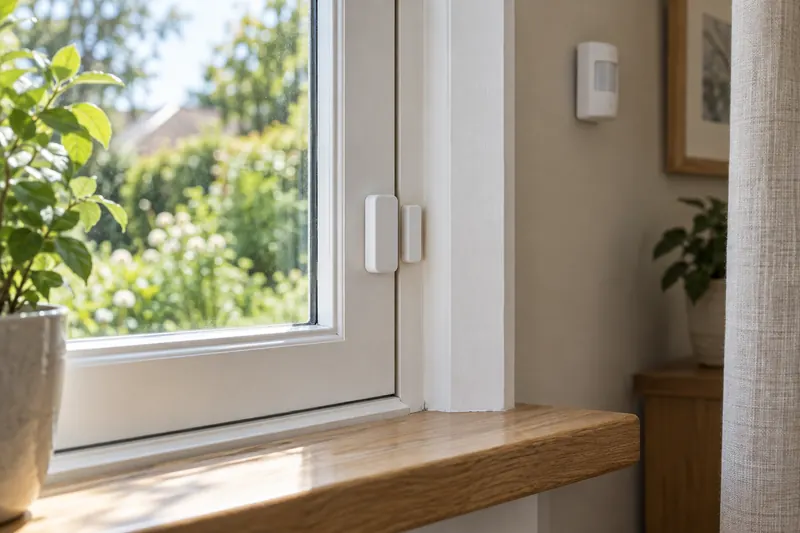
In this guide
Start with one place where information would change what you do: a frequently forgotten door, a hallway that needs hands-free lighting, or an area where a small leak could go unnoticed.
Plan the response too: an app reading, phone notification, automated light and alarm-system event are different outcomes.
Match the sensor to the question
| Sensor | What it reports | A useful first application |
|---|---|---|
| Contact | Whether two aligned parts remain together or have separated. | Notice that a particular door or window is open. |
| PIR motion | Movement detected through changes in infrared energy. | Trigger hallway lighting when someone walks through. |
| Presence | Occupancy information; radar models can detect small movements. | Keep suitable lighting on while someone sits at a desk. |
| Temperature / humidity | Conditions at the sensor’s location, within its specified accuracy and operating range. | Understand why one room feels different from another. |
| Water leak | Water contacting the product’s sensing points or cable. | Alert someone to water near a sink, laundry appliance or other leak-prone location. |
Ring’s sensor guide explains magnetic contact and PIR motion detection. Aqara’s FP2 documentation illustrates radar-based presence detection, while Eve Water Guard’s documentation describes cable-based leak detection. These are technology examples, not interchangeable products.
Motion and presence solve different lighting problems
A passageway and a home office need different behavior. For a hallway, detecting someone walking through may be enough. For a seated reader, switching off shortly after the last large movement can become frustrating.
Aqara describes the FP2 using millimeter-wave radar to detect slight movement and support defined zones. It requires continuous power. These capabilities make it worth investigating for occupied seating areas, but they do not prove that every installation will identify every person perfectly. Check its mounting and feature requirements.
For PIR sensors, placement affects results. Ring advises avoiding direct sunlight and nearby heat sources for its motion detectors. Use the manufacturer’s placement guidance for the exact model.
Observe events before automating lights. Try normal seating positions and pets, with a generous off-delay and a convenient manual override.
Check the measurement location and limitations
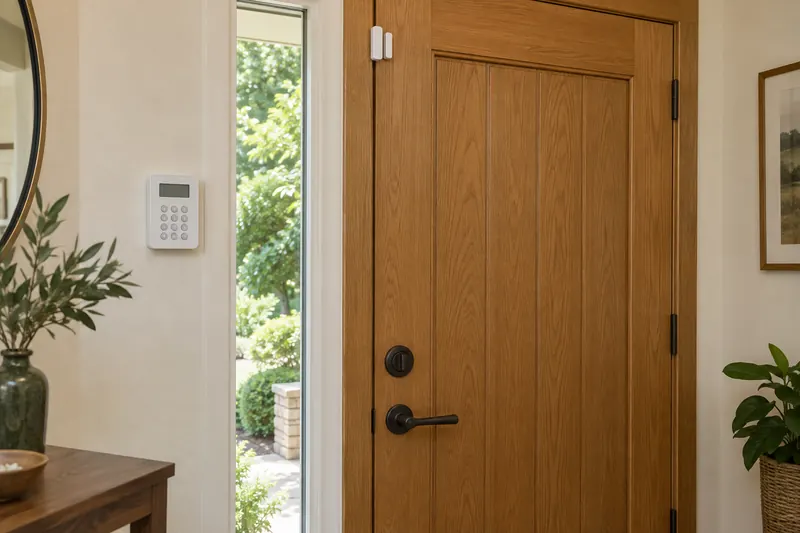
A contact sensor reports its own alignment; it does not establish that a door is locked. Check the permitted gap, frame shape and whether the intended position is supported before attaching it. An indoor sensor should not be assumed suitable for a weather-exposed gate.
A room sensor describes conditions where it sits. Check environmental restrictions: Aqara’s temperature and humidity FAQ, for example, specifies indoor use and a non-condensing environment, with additional location exclusions. Check your exact model.
For leak detection, consider the actual route water would take. A sensor in the wrong corner may remain dry while water spreads elsewhere. A sensing cable can cover a different area from a small device with contact points; Eve documents this arrangement for Water Guard.
Do not assume that a temperature sensor can directly control your existing thermostat. Verify the integration and the specific thermostat’s support before buying it for that purpose.
Verify the hub and the action you want
Read the requirements for the exact generation. The current Matter version of Eve Door & Window specifies a compatible Matter controller and Thread border router. Aqara’s referenced temperature and humidity sensor requires an Aqara hub in its supported setup and cannot pair directly to a phone.
After identifying the connection, check what your chosen app receives. It might display a measurement yet offer fewer conditions for routines than the manufacturer app. Confirm the trigger itself: “door open for ten minutes” is a more specific requirement than “works with my ecosystem.”
Also distinguish automation compatibility from alarm-system compatibility. A sensor used to turn on lights should not be assumed eligible for a security provider’s monitored alarm service. Check the provider’s supported devices and plan before relying on that outcome.
Design alerts people will notice and act on
Give each sensor a precise name, such as “Laundry floor” or “Back door,” and choose who should receive each alert. Decide the next action in advance: inspect a leak, close a forgotten window or check a disconnected sensor.
Choose between an immediate notification and a delayed reminder according to the event. Frequent ordinary door openings may not need to notify everyone, while a leak alert deserves a different response. Verify that the app supports your intended rule.
A local alarm and a remote notification have separate dependencies. Eve Water Guard has its own audible and visual alarm, while notifications away from home require an appropriate home hub. Read its alert requirements rather than assuming a phone will always receive the event.
Test notifications on the phones that actually need them, using the manufacturer’s test procedure. Include battery and offline status in regular maintenance.
Keep safety alarms separate from convenience sensors
Generic temperature, air-quality, motion and presence sensors do not replace appropriately certified smoke or carbon monoxide alarms. Those are distinct safety products with their own placement, testing and replacement instructions.
The US Fire Administration recommends smoke alarms in bedrooms, outside sleeping areas and on every level, with regular testing and appropriate interconnection. Follow its smoke-alarm guidance, the product instructions and applicable local requirements.
USFA also calls for carbon monoxide alarms outside separate sleeping areas and on every level. A general environmental dashboard is not a substitute for that protection.
Begin with a hallway light or a window reminder. Verify it for several ordinary days before expanding. Our lighting guide and ecosystem guide explain the next decisions.
Sources and scope
We checked the linked Ring, Aqara, Eve and US Fire Administration guidance on September 13, 2026. This guide explains sensor selection and practical planning; it does not report comparative laboratory tests or certify a security or safety installation. See our editorial methodology.
Frequently asked questions
Can a contact sensor tell me whether the door is locked?
No. It reports whether its two parts are aligned or separated. A closed door can still be unlocked. Lock-state reporting requires an appropriate lock or other specifically supported mechanism.
Is a presence sensor always better than a motion sensor?
No. Match it to the job. A simple motion trigger can suit a passageway, while a supported presence sensor can help with seated occupancy. Consider power, mounting, false triggers and the controls available in your platform.
Will every smart sensor work without a hub?
No. Requirements vary by radio, model and the features you need. Check both the connection and the action: displaying a value, running a local routine and sending a remote alert can have different requirements.