In this guide
What we like
- Genuine Apple Home support, which most competitors lack
- Compatible Z-Wave and Zigbee devices on supported hubs
- Optional professional monitoring with Pro
- No contract and a straightforward pricing page
What to watch
- Setup rewards patience; it is not a 20-minute system
- Smaller company than the majors, with a smaller support organisation
- First-party cameras are middling
- Fewer local installers know it
The interoperability case
Nearly every mainstream security system is a closed ecosystem: proprietary sensors, no third-party devices, and integrations limited to voice assistants. Abode is the significant exception.
The Smart Security Hub supports Z-Wave, Zigbee and Apple HomeKit. Compatibility depends on the hub and individual device; check each existing sensor, lock or switch before assuming it can join.
This makes it worth considering as both an alarm and an automation hub. Plan for Ethernet at the Smart Security Hub and a paid plan if you want to run CUE automations.
Choose the plan for the features you need
Abode no longer offers dedicated day- or week-based monitoring. Its plan documentation lists monthly and annual billing. Running CUE automations needs Standard or Pro; professional monitoring and cellular backup need Pro.
Price the plan alongside your equipment before comparing alternatives.
What it asks of you
Abode is not difficult, but it is not SimpliSafe.
Setting up Z-Wave devices means understanding pairing, and occasionally exclusion before inclusion. Automations use a rules engine that is powerful and not entirely self-explanatory. Documentation is decent but assumes some willingness to read.
Budget an afternoon rather than an hour for a full setup, and expect to spend a further evening tuning automations you actually want. If that sounds tedious rather than enjoyable, SimpliSafe will make you happier.
Where it falls short
The cameras are middling. Adequate, unremarkable. Most Abode owners pair the system with Eufy or Arlo cameras — which the open architecture makes straightforward, but it does mean two apps.
It is a smaller company. Support is slower than the majors, and the long-term risk profile of a smaller vendor is a fair consideration on a multi-year purchase.
Local installers rarely know it. If you want professional installation, few technicians will have worked with Abode.
Who should buy Abode
Consider Abode if you want your alarm to participate in home automation and your chosen hub supports the devices and integrations you need.
Buy something else if you want the simplest possible setup (SimpliSafe); cameras are your priority (Ring); or you want professional installation (Vivint).
Sources and review scope
This is a research-based review. Our score is an editorial assessment using our published criteria; it is not a hands-on test result. We have not independently measured this product’s performance or long-term reliability.
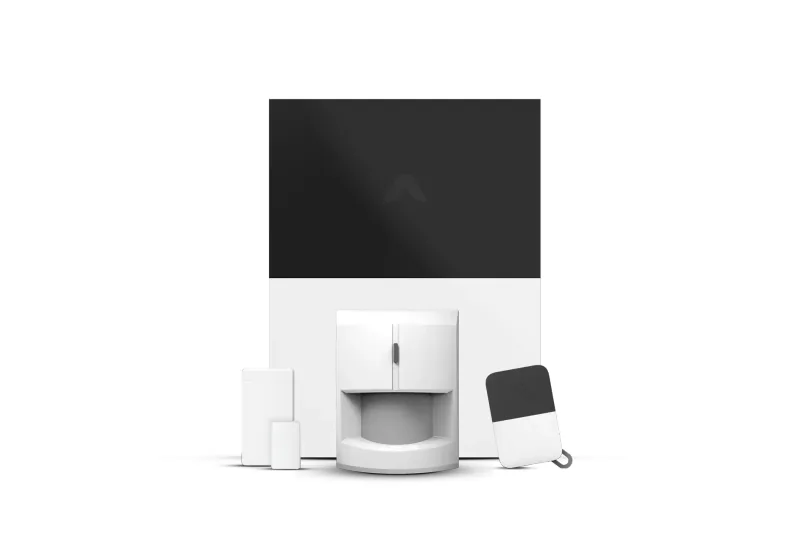
What to check for your setup: The pictured Smart Security Kit requires Ethernet and offers Apple HomeKit integration plus support for compatible Z-Wave and Zigbee devices. Cellular backup requires Pro, CUE automations need Standard or Pro to run, and Abode no longer offers dedicated day/week on-demand monitoring.
Source notes checked . Prices and offers can change; confirm the current terms for your chosen equipment and plan.
Frequently asked questions
Does Abode work with Apple HomeKit?
The Smart Security Hub and Iota support Apple HomeKit. Confirm the exact hub before buying; integrations vary across the range.
Does Abode still offer on-demand monitoring?
No. Dedicated day- or week-based monitoring is no longer offered. See the current plan terms.
Can I use my existing Z-Wave sensors with Abode?
Some compatible third-party devices can join the Smart Security Hub or Iota. Check Abode’s supported-device list for your exact model before buying.
Is Abode harder to set up than SimpliSafe?
Yes, meaningfully. Allow an afternoon rather than an hour. The reward is far more capability; the cost is more of your attention.
Full specifications and scores
At a glance
- Installation
- DIY
- Contract
- None
- Monitoring
- Optional professional with Pro
- Monthly
- $0–$25
- Equipment
- $200–$600
- Storage
- Cloud with local option
- Works with
- Z-Wave, Zigbee, Apple Home, Alexa, Google (hub/device-dependent)